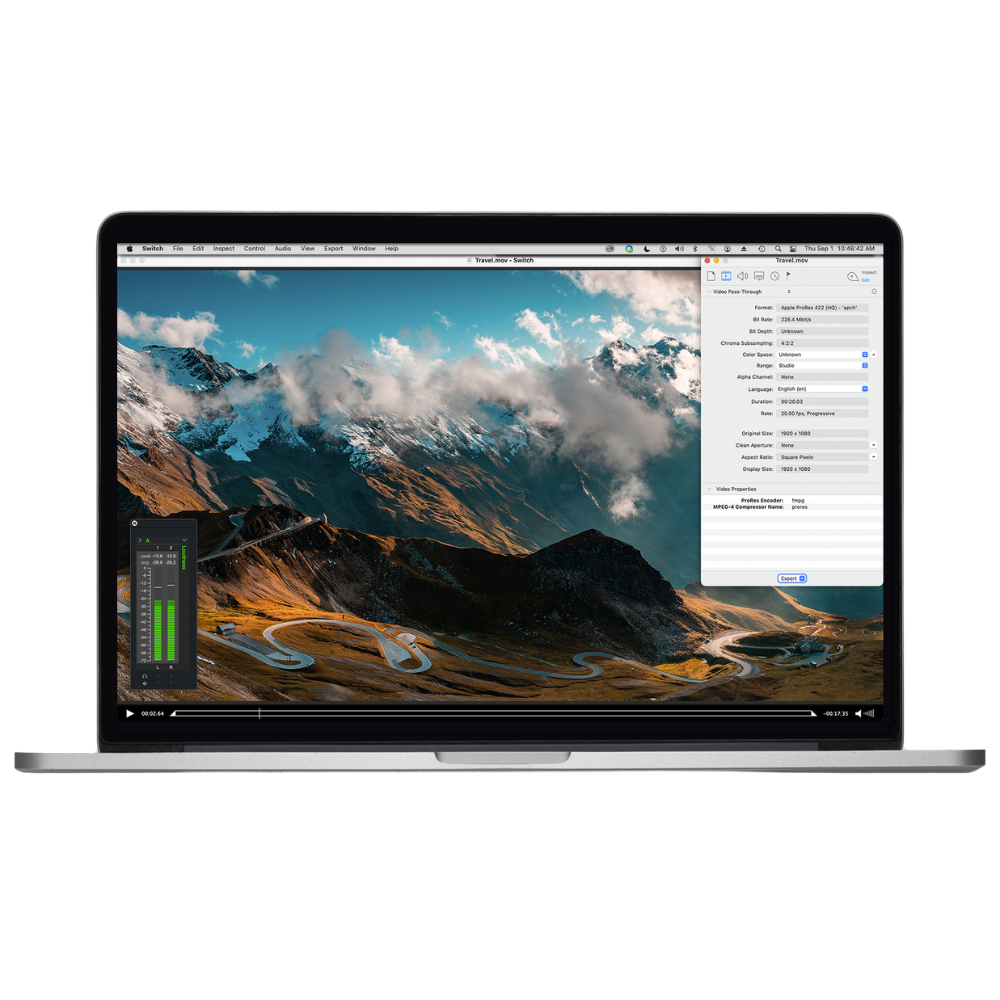
Telestream Switch 6 Player to Pro Upgrade
Telestream Switch 6 Player to Pro Upgrade
Call 800-323-2325 for availability
Couldn't load pickup availability
SKU:SWPROUPG6PLA
Manufacturer PN: SW-PRO-UPG-6PLA
Description
Description
Telestream Switch 6 Player to Pro Upgrade – Professional Media Playback, Quality Control & Encoding Software
Upgrade your existing Telestream Switch 6 Player license to Switch 6 Pro and gain comprehensive professional media playback, inspection, quality control (QC), correction, and encoding capabilities.
Designed for broadcasters, video editors, post-production facilities, and media professionals, Switch 6 Pro builds on the essential playback and inspection tools of Switch 6 Player with advanced format support, caption verification, loudness analysis, media comparison, external broadcast monitoring, and professional transcoding.
This product is an upgrade from Telestream Switch 6 Player to Switch 6 Pro and requires an existing Switch 6 Player license.
Key Features
- Upgrade an existing Switch 6 Player license to Switch 6 Pro
- Unlock 4K, HEVC, DNxHD, and JPEG2000 playback
- High Dynamic Range (HDR) support
- Simple and complex IMF and DCP asset playback
- Advanced video, audio, and metadata inspection
- Full closed caption and subtitle playback and verification
- Professional audio meters and advanced loudness monitoring
- Audio waveform visualization
- Built-in signal generator for video and audio testing
- Compare up to 16 alternate media files
- GOP structure and video data rate analysis
- HDMI and SDI output through compatible AJA and Blackmagic Design hardware
- DPP/AMWA-certified media playback
- Video trimming, scaling, cropping, and metadata editing
- Advanced audio editing and channel management
- Professional media encoding, transcoding, and rewrapping
- Timecode authoring during export
- iTunes Store asset package creation
- Compatible with macOS and Windows
Why Upgrade from Switch 6 Player to Switch 6 Pro?
While Switch 6 Player provides professional multi-format playback and essential media inspection, Switch 6 Pro delivers a comprehensive set of tools for broadcast quality control, media correction, technical analysis, and content delivery.
Upgrading directly from Switch 6 Player to Switch 6 Pro adds the following capabilities:
- Expanded professional video format and codec support
- High-resolution 4K and HDR playback
- Full closed caption and subtitle verification
- Professional audio metering and advanced loudness analysis
- Alternate media file comparison
- IMF and DCP asset playback
- Detailed GOP structure and encoding analysis
- External HDMI and SDI broadcast monitoring
- Video, audio, and metadata editing
- Professional media encoding and transcoding
- Media file rewrapping
- Professional content delivery tools
Users retain the existing playback, frame-accurate navigation, media inspection, and Windows Media conversion capabilities of Switch 6 Player while gaining the advanced features available in both Switch 6 Plus and Switch 6 Pro.
What's New in Telestream Switch 6 Pro
Switch 6 introduces new playback, inspection, and media correction capabilities designed to improve professional quality control and content delivery workflows.
- High Dynamic Range (HDR): Comprehensive HDR support across Mac, Windows, and SDI.
- Audio Waveforms: View audio waveforms directly in the timeline to identify dropouts, channel swaps, and synchronization issues.
- Built-In Signal Generator: Generate test signals, including color bars, moving elements, and audio tones, without storing large test media files.
- Expanded Format Support: Support for AV1, ARRIRAW, and Blackmagic RAW alongside existing ProRes RAW support.
- GPU-Accelerated Windows Playback: Hardware-accelerated H.264 decoding helps reduce dropped frames during playback.
- Timecode Authoring: Add multiple timecode tracks or modify starting timecode values during export.
- Large Time Display: View the current media time in a resizable window for easy monitoring from across the room.
Expanded Professional Media Format Support
Upgrading to Switch 6 Pro unlocks additional professional video formats and codecs, allowing users to inspect high-resolution media and work with a broader range of broadcast, cinema, streaming, and post-production files.
Supported media formats and codecs include:
- 4K video
- HEVC (H.265)
- H.264
- AV1
- DNxHD
- JPEG2000
- ProRes RAW
- ARRIRAW
- Blackmagic RAW
- MOV
- MP4
- MXF
- IMF
- DCP
- GXF
- MPEG-2 Program Streams
- MPEG-2 Transport Streams
- Windows Media Video (WMV)
- Windows Media Audio (WMA)
Frame-Accurate Playback and Navigation
Switch 6 Pro retains the professional playback controls available in Switch 6 Player, including JKL keyboard navigation, fast-forward, rewind, slow-motion playback, and single-frame forward and backward stepping.
The Jump To feature allows users to navigate directly to a specific timecode, frame number, or playback time for precise content review and quality control.
Advanced Media File Inspection
Switch 6 Pro provides comprehensive inspection of video, audio, encoding, and metadata properties through an intuitive media inspector.
Inspectable media properties include:
- Video and audio codecs
- File formats and containers
- Video bitrate and frame rate
- Aspect ratio and clean aperture
- Audio channels and speaker assignments
- Audio encoding formats and sample rates
- File metadata, including DPP metadata
- Caption and subtitle information
- Video GOP structure
- Loudness levels
Users can also load secondary audio and closed caption files to verify synchronization with the primary media file.
IMF and DCP Playback
Upgrading to Switch 6 Pro adds support for simple and complex Interoperable Master Format (IMF) and Digital Cinema Package (DCP) assets.
Load a Composition Playlist (CPL) file and Switch automatically assembles the associated media assets for seamless playback and inspection.
This capability is particularly useful for post-production facilities, content distributors, and media professionals working with professional mastering and delivery formats.
Closed Caption and Subtitle Playback and Verification
Switch 6 Pro provides comprehensive closed caption and subtitle playback, allowing professionals to verify caption timing, accuracy, synchronization, and presentation before content delivery.
Supported caption and subtitle formats include:
- CEA-608
- CEA-708
- SCC
- DVB
- TTML
- iTT
- SMPTE-TT
- WebVTT
- SRT
- STL
Full CEA-708 decoding includes advanced capabilities such as Unicode character support. Switch 6 Pro can also decode captions embedded within professional media containers, including MXF and MPEG Transport Stream files.
Professional Audio Meters and Advanced Loudness Monitoring
Upgrade to professional audio monitoring and dedicated loudness analysis tools for evaluating audio levels and identifying potential issues during playback.
Audio monitoring capabilities include:
- True peak monitoring
- Momentary loudness monitoring
- Individual audio channel solo and mute controls
- Gated loudness measurement using ITU-R BS.1770-3
- Ungated loudness measurement using ITU-R BS.1770-2
- Audio waveform visualization
These tools help broadcast and post-production professionals identify audio issues and evaluate media against loudness delivery requirements.
Alternate Media File Comparison
Switch 6 Pro allows users to compare a primary media file against up to 16 alternate media files to identify visual differences, compression artifacts, and variations between encoded versions.
Available comparison modes include:
- Full View
- Split View
- Difference View
Alternate Media Comparison is particularly useful for adaptive bitrate (ABR) streaming workflows, codec evaluation, encoding quality checks, and comparing multiple versions of the same media asset.
Timeline and GOP Structure Analysis
Inspect the Group of Pictures (GOP) structure of video segments through the dedicated Switch 6 Pro timeline.
View I-frames, P-frames, and B-frames alongside associated video data rate information to better understand compression and encoding characteristics.
These professional analysis tools help identify encoding inconsistencies and evaluate compressed video files.
External HDMI and SDI Broadcast Monitoring
Upgrading to Switch 6 Pro unlocks external video monitoring through compatible AJA and Blackmagic Design video hardware.
Preview professional media files on external broadcast monitors using HDMI or SDI output for visual quality control, color evaluation, and professional content review.
Switch 6 Pro also supports viewing Vertical Ancillary (VANC) data on an external monitor.
DPP/AMWA-Certified Media Playback
Switch Pro provides desktop playback and visual quality control of Digital Production Partnership (DPP) media files, including inspection of DPP AS-11 MXF metadata.
DPP/AMWA certification makes Switch Pro a valuable tool for broadcasters, production facilities, and media organizations working with standardized broadcast delivery formats.
Video Editing, Metadata Editing, and Media Correction
Move beyond basic media playback and inspection with professional correction tools that allow users to modify file properties and export corrected media directly from Switch 6 Pro.
Media correction capabilities include:
- Trim video content
- Scale video resolution
- Crop video frames
- Change video and audio codecs
- Select new output file formats
- Add and edit supported metadata
- Adjust audio track configurations
- Modify speaker assignments
- Add or modify timecode tracks during export
Perform common media corrections without requiring a separate video editing application.
Professional Media Encoding and Transcoding
Upgrade from basic Windows Media conversion to professional single-file encoding and transcoding capabilities.
Switch 6 Pro allows users to convert media files into formats suitable for broadcast, post-production, streaming, and content distribution.
Supported export formats and codecs include:
- Apple ProRes*
- H.264
- MPEG-2 Video
- MP4
- Windows Media
- MPEG-2 Program Streams
- MPEG-2 Transport Streams
*Apple ProRes export on Windows is available through iTunes package creation using Switch Pro.
Media File Rewrapping
Switch 6 Pro supports media file rewrapping with audio and video pass-through, allowing professionals to change file containers without unnecessarily re-encoding compatible media streams.
Users can also omit the video stream during export to create audio-only files.
Advanced Audio Editing and Channel Management
Modify audio configurations directly within Switch 6 Pro to meet professional production, broadcast, and content delivery requirements.
Audio editing capabilities include:
- Split and join audio tracks
- Rearrange audio tracks
- Change speaker assignments
- Modify audio encoding formats
- Adjust audio sample rates
- Downmix multichannel audio to stereo
These capabilities simplify audio channel correction and media preparation for different playback environments and delivery specifications.
iTunes Store Package Creation
Switch 6 Pro includes a dedicated iTunes export preset for creating asset-only iTunes Store packages (.itmsp).
Packages can include primary media content, secondary subtitle or audio files, chapter information, and associated XML metadata.
Windows Media Playback, Conversion, and Export
Switch 6 Pro retains the Windows Media playback and MP4 conversion capabilities available in Switch 6 Player while adding the ability to convert other supported media formats into Windows Media files.
This expanded functionality is useful for professionals working with legacy media, Windows-based applications, and cross-platform production workflows.
Who Should Upgrade to Switch 6 Pro?
The Telestream Switch 6 Player to Pro Upgrade is ideal for existing Switch 6 Player users who require advanced media quality control, technical inspection, correction, and professional encoding capabilities within a single software application.
Common applications include:
- Television and broadcast quality control
- Professional video editing and post-production
- 4K and HDR media playback and inspection
- Streaming media quality assurance
- IMF and DCP asset inspection
- Closed caption and subtitle verification
- Audio loudness analysis
- Adaptive bitrate encoding verification
- External broadcast monitoring
- Video compression and codec analysis
- Professional media transcoding
- Broadcast content delivery preparation
- Digital media asset management
Frequently Asked Questions
What is the Telestream Switch 6 Player to Pro Upgrade?
The Telestream Switch 6 Player to Pro Upgrade allows existing Switch 6 Player license holders to upgrade directly to Switch 6 Pro and gain professional media playback, quality control, technical inspection, correction, and encoding capabilities.
Do I need an existing Switch 6 Player license?
Yes. This product is an upgrade license intended for existing Telestream Switch 6 Player users. It is not a standalone Switch 6 Pro license.
Do I need to upgrade to Switch 6 Plus before upgrading to Switch 6 Pro?
No. This upgrade is designed to take existing Switch 6 Player users directly to Switch 6 Pro.
What features do I gain by upgrading from Switch 6 Player to Pro?
Switch 6 Pro adds expanded format support, 4K and HDR playback, full caption verification, advanced loudness analysis, alternate media comparison, IMF and DCP playback, GOP analysis, external broadcast monitoring, media editing, and professional encoding.
Does upgrading to Switch 6 Pro include all Switch 6 Plus features?
Yes. Switch 6 Pro includes the capabilities available in Switch 6 Plus, along with additional professional broadcast quality control, media analysis, monitoring, and delivery tools.
Can I compare multiple video files after upgrading?
Yes. Switch 6 Pro supports comparison of a primary media file with up to 16 alternate media files using Full View, Split View, and Difference View modes.
Can I use external broadcast monitors after upgrading?
Yes. Switch 6 Pro supports HDMI and SDI output through compatible AJA and Blackmagic Design video hardware.
Can I edit and encode media files after upgrading?
Yes. Switch 6 Pro supports video trimming, scaling, cropping, metadata editing, audio correction, media rewrapping, and professional single-file transcoding.
Does Switch 6 Pro work on Mac and Windows?
Yes. Switch 6 Pro is available for both macOS and Windows. Certain encoding, codec, and hardware monitoring capabilities are platform-dependent.
Specifications
Specifications
Windows System Minimum Requirements
- Operating System: Windows 11 (64-bit)
- Processor: 2.4 Ghz Core 2 Duo or faster, Any Core i3, i5, or i7
- Memory: + GB of RAM
- Graphics Card: Any graphics adapter that supports Direct3D feature level 10.1 or better, 256+ MB graphics memory
- Display: 1280 x 768 or larger, 50 Hz or faster
Mac System Minimum Requirements
- Operating System: macOS 26 Tahoe, macOS 27 Golden Gate
- Processor: Apple silicon Macs that support macOS 26 Tahoe or later
- Memory: + GB of RAM
- Graphics Card: 256+ MB graphics memory
- Display: 1280 x 768 or larger, 50 Hz or faster
Included in the box
Included in the box
Learn more
Learn more